

WooCommerce LMS Platform Development: Sustainability Education Academy
WooCommerce LMS platform development for Sustainability Education Academy connected course sales, checkout, regional payments and membership access with a growing education and certification business. Rowerr built the commerce connections and custom workflows around WooCommerce, with LearnDash supplying the learning structure, MemberPress managing bundles, LMS Crafter powering specialist operations, and Rowerr integrations and Azuro extending payments and visitor engagement.
- Client
- Sustainability Education Academy · education and certification
- Platform
- WooCommerce · LearnDash · MemberPress
- Partnership
- 2018–2026 · about 40 courses
- Rowerr built
- Course sales and checkout, bundled memberships on regional gateways, and custom learning workflows
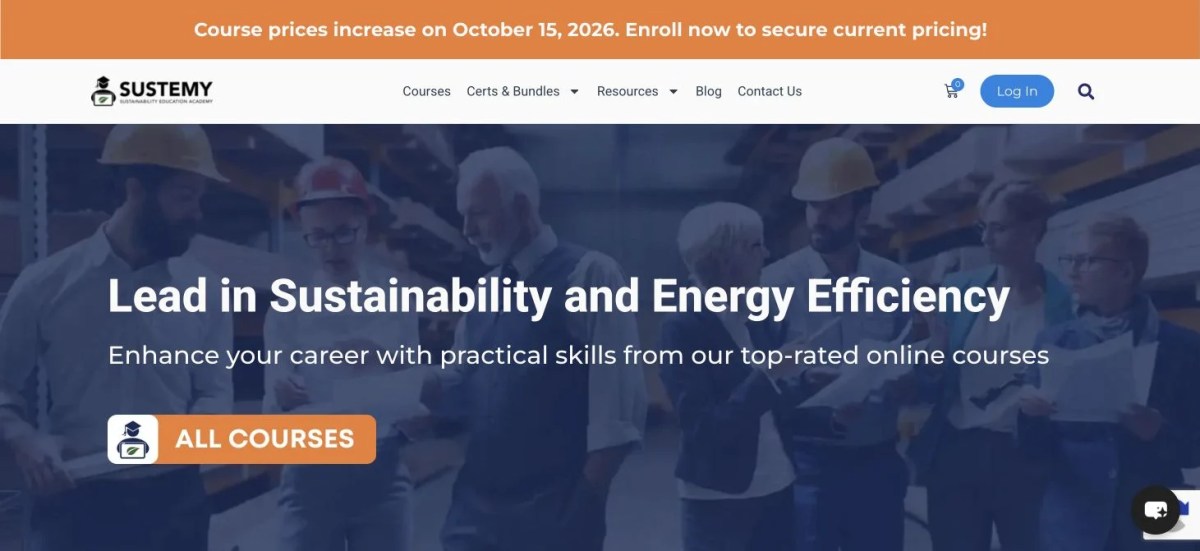
Visit Sustainability Education Academy
The Challenges We Had to Solve
- Turn scattered videos and basic custom-field content into structured courses, lessons, topics, quizzes and certification.
- Keep learning affordable while supporting a competency-based certification business.
- Sell individual courses through WooCommerce and bundled access through MemberPress.
- Connect MemberPress memberships to the regional payment gateways available through WooCommerce.
- Manage a planned workload of roughly 16,000 quiz questions across approximately 40 courses.
- Give administrators actionable learner, course, quiz, enrollment and revenue reporting.
- Let employers verify certificate authenticity through unique IDs and QR codes.
- Help visitors select the right offer, ask questions and move towards a purchase within controlled business rules.
Our Process: A Shared, Real-Time Workflow
- Brief and proposal. The client came through Fiverr, explained the requirements and received Rowerr’s proposed approach.
- One working group. The client’s WhatsApp group brought together their IT team, Rowerr’s developer and project manager, and the client.
- Design first. Screenshots were shared at each design step. The client and IT team reviewed them in real time, and Rowerr refined the design before implementation.
- Visible implementation. Screenshots, images and live URLs continued throughout development so feedback could be addressed as the work progressed.
- Responsive collaboration. The project account describes round-the-clock group coordination across time zones, with replies often arriving within minutes. This describes this partnership, not a response-time guarantee for every project.
WooCommerce LMS Platform Development: The Connected Solution
WooCommerce LMS platform development placed WooCommerce at the centre of the academy’s commercial workflow: individual course purchases, checkout, orders and payment flexibility. LearnDash supplies structured learning; MemberPress controls bundled access; reporting, assessment automation, verified credentials and visitor engagement support that wider business. LMS Crafter’s specialised plugins and Rowerr’s custom integrations solve the difficult operational gaps between those systems.
Your store needs more than a standard checkout?
Tell us which courses, memberships and payment methods need to work together. Rowerr builds the WooCommerce connections around your business.
Discuss Your WooCommerce Project Explore WooCommerce ServicesDevelopment Timeline: 2018 to 2026
Each dot represents a task or development milestone. Years and the May 2026 milestone follow the supplied project history. Task order within each phase is narrative, not a dated project log; no milestones were supplied for 2019, 2020, 2022 or 2024.
Digital foundation
- The client first contacted Rowerr through Fiverr and explained the academy’s educational content and business requirements.
- Rowerr proposed how the website would be designed and implemented.
- After the project began, the client created a WhatsApp group with Rowerr’s developer and project manager, the client and the client’s IT team.
- Design screenshots were shared as they were created; the client and IT team reviewed them and the design was revised with their feedback.
- Once the design was agreed, implementation updates, screenshots and live URLs kept the group informed.
- The first website established an online presence and organised the available training material.
Structured learning, commerce and memberships
- Consultation sessions reviewed the existing custom-field content and the academy’s changing business model.
- Rowerr recommended LearnDash and redesigned the course presentation around learning outcomes, introductions, instructors, testimonials and trust information.
- Training content was reorganised into courses, lessons, topics, quizzes and completion workflows.
- WooCommerce connected individual course purchases to LearnDash enrollment.
- MemberPress introduced memberships and bundled course access.
- Regional payment requirements exposed the gap between MemberPress gateways and the wider WooCommerce ecosystem.
- Rowerr developed the MemberPress WooCommerce Checkout Integration, creating hidden membership products and routing checkout through WooCommerce.
- The academy could retain MemberPress access control while using more than ten active payment methods, as reported in the project account.
Operational visibility
- Growing learner, course, quiz and transaction activity required more than basic LMS reports.
- LMS Crafter LearnDash Dashboard Pro introduced a richer front-end operational environment.
- Learner progress, quiz activity, enrollments, course performance and revenue information became part of the administration workflow.
- Role-specific dashboards, exports, certificates and communication tools supported the wider academy operation.
AI-assisted assessment production
- Approximately 40 courses and a planned library of roughly 16,000 questions made manual quiz administration impractical.
- Rowerr evaluated approaches and introduced LMS Crafter AI Copilot for LearnDash.
- Course, lesson and topic content became source material for editable native LearnDash quizzes.
- Question type and difficulty controls supported an assisted production workflow.
- Subject-matter experts retained responsibility for reviewing educational quality; course-aware tutoring added learner support.
Verifiable credentials
- The certification business needed more than static PDF certificates.
- Rowerr implemented LMS Crafter Certificate Verify & Share for LearnDash.
- Unique verification IDs and QR codes connected credentials to a public verification portal.
- Employers and other third parties could check issuing, learner, course and completion information.
- Verification supported the academy’s competency-based model, where assessments must be passed before certification.
Visitor intent and conversion
- The next requirement shifted from delivering courses to helping visitors choose and purchase.
- Rowerr developed Azuro AI Sales Negotiator around approved website knowledge, conversational lead capture and business rules.
- Visitor-history signals included viewed pages, revisited courses, clicks, time spent on offers and prior interactions.
- Administrator-defined price floors and negotiation steps bounded any incentive.
- The project account reports a limited production version on the academy, with the broader commercial version in testing and quality assurance.
WooCommerce Course Sales: Learning Behind the Purchase
We did not simply move videos into another plugin. Course pages were designed to explain the title, learning outcomes, description, included material, introduction video, instructor information, testimonials and trust signals.
- Course: a clear learning offer and enrollment path.
- Lessons and topics: organised material rather than scattered videos or basic custom fields.
- Quizzes: initially a primary assessment near course completion, later introduced more deeply into lessons and topics.
- Completion and certification: assessment-led evidence of competence rather than passive video attendance.
WooCommerce Membership Integration: Regional Payment Flexibility
Individual LearnDash courses were sold through WooCommerce. Bundles needed MemberPress access rules, but the academy also required regional payment methods. Rowerr connected the systems instead of forcing the client to replace its membership model.
Selecting WooCommerce Checkout for a membership creates a corresponding hidden WooCommerce product and routes the transaction through the store checkout. The project account reports more than ten active payment methods on the academy.
The integration did not remain limited to this website.
We started using the same idea for other client projects facing similar payment-gateway limitations.
After roughly 70–80 client implementations, it became obvious that the problem was much larger than one academy.
That was when the internal solution started becoming a product.
Two versions were planned.
Free version
Designed for one-time/non-recurring memberships using WooCommerce checkout.
Pro version
Designed to extend the model into recurring membership payments where compatible gateways support the required payment-token and recurring-charge functionality.
The plugin also evolved beyond checkout integration.
Additional commerce features were added, including:
- member-specific pricing,
- tier pricing,
- Buy One Get One offers,
- cart discounts,
- free-shipping rules,
- dynamic pricing conditions.
For member pricing, the system can show one price to ordinary shoppers and another to active members, while ensuring the member price is also the price processed during checkout.
What started as a missing payment gateway became a broader membership-commerce system.
WooCommerce LMS Reporting: LMS Crafter Dashboard Pro
By 2023, administrators needed to understand which students were progressing or falling behind, which courses performed best, where quizzes caused problems, how enrollments and revenue were distributed, and where attention was needed.
LMS Crafter LearnDash Dashboard Pro supplied a richer operational layer: front-end learner access, progress and quiz information, role-specific reporting, CSV exports, certificate tools and communication workflows. Learning information became part of running the business rather than a collection of disconnected backend reports.
WooCommerce LMS Automation: AI Assessments with LMS Crafter
Early 2025 brought a planned assessment workload of roughly 16,000 questions across approximately 40 courses. These figures describe the content pipeline and planned workload, not a claim that every question had already been generated or published.
LMS Crafter AI Copilot generated editable native quizzes from actual course, lesson, topic or supplied content, with controls for difficulty and question type. The goal was to remove repetitive creation and insertion work while leaving the academic team in control of quality. Course-aware tutoring and contextual learner assistance expanded AI beyond administration.
WooCommerce Certification Platform: Credentials That Can Be Checked
Late 2025 and early 2026 brought LMS Crafter Certificate Verify & Share into the certification workflow. Unique IDs, QR codes and a public verification portal let employers and institutions check a credential against the issuing academy.
- Certificate and issuing details.
- Learner and course information.
- Completion information and an independently accessible verification path.
- Sharing capabilities and verification analytics offered by the specialist plugin.
The academy’s certification model emphasises assessed competency, not merely participation. Verification keeps the credential connected to that evidence when it is shared beyond the LMS.
Too much manual work behind each purchase?
Connect course access, customer information and routine store tasks with focused WooCommerce integrations and automation.
Discuss Your Store Workflow Explore WooCommerce ServicesThe Specialist Plugins Behind the Difficult Parts
What made this project unusual was that several important requirements could not be solved cleanly by simply installing another generic WordPress plugin.
Some of the most valuable parts of the final stack were specialized tools created specifically around real LMS and commerce problems.
LMS Crafter AI Copilot for LearnDash
When the academy’s quiz workload grew into the thousands of questions, manual course administration stopped being sustainable.
AI Copilot introduced AI directly into the LearnDash workflow rather than treating AI as a separate external tool.
It can generate editable native LearnDash quizzes from courses, lessons, topics, or supplied content, with controls for difficulty and question type. LMS Crafter
That turned quiz creation from a repetitive data-entry problem into an assisted content-production workflow.
LearnDash Dashboard Pro
The academy eventually needed much more than LearnDash’s normal backend screens.
Dashboard Pro added a broader operational layer around the LMS, giving administrators and other roles access to learner progress, quizzes, certificates, reports, exports, communication tools, and front-end LMS workflows. LMS Crafter
Instead of treating reporting as an afterthought, the academy could use learning data as part of running the business.
Certificate Verify & Share for LearnDash
Certification was one of the academy’s most commercially important developments.
Certificate Verify & Share transformed certificates from static PDFs into credentials that can be independently checked.
A unique ID and QR code can be attached to a certificate. Employers or institutions can scan the QR code or enter the ID on the academy’s website to verify authenticity. LMS Crafter
That was particularly important for a platform whose certificates represent assessed competency rather than simple course attendance. Sustainability Education Academy
Rowerr MemberPress WooCommerce Checkout Integration
This plugin began as a direct response to a client limitation.
MemberPress could manage memberships and course access, but WooCommerce had the payment gateways required by the business.
Instead of replacing either system, we connected them.
When WooCommerce Checkout is selected for a MemberPress membership, the integration creates the corresponding hidden WooCommerce product and routes the transaction through WooCommerce.
The result is simple:
MemberPress controls membership. WooCommerce controls checkout and payments.
That opened the membership system to the much wider WooCommerce payment-gateway ecosystem.
The solution proved useful beyond this project. After deploying variations of the integration for dozens of clients, we began turning it into a public Rowerr product.
Azuro AI Sales Negotiator
Azuro was built around an entirely different question:
What if the website could understand what a visitor appears interested in and help move that visitor toward the right purchase?
Instead of functioning as a simple FAQ chatbot, Azuro combines website knowledge, visitor behavior, business rules, lead capture, and conversion goals.
It can understand the site’s content, use configured communication rules, collect customer information, and work toward defined outcomes such as a sale or booked consultation.
The system can also retain visitor-history signals such as:
- pages viewed,
- products or courses revisited,
- buttons clicked,
- time spent on specific offers,
- prior interactions.
For selected products, administrators can define commercial boundaries such as:
Regular price: $100 Minimum allowed price: $70 Negotiation interval: 5%
Azuro is not instructed to immediately throw discounts at every visitor.
Instead, the goal is to use the visitor’s behavior and conversation context to determine whether an incentive is appropriate.
For example, someone repeatedly returning to the same course without purchasing might eventually receive a controlled offer:
$100 → $95 → $90
while remaining inside the price floor established by the business.
That is why we call it a Sales Negotiator, not simply a chatbot.
Azuro by Rowerr: AI-Assisted Visitor Engagement
For this requirement, we developed Azuro AI Sales Negotiator by Rowerr.
The limited production version is already installed and operating on Sustainability Education Academy.
The broader commercial version has completed its core development and is currently going through testing and quality assurance before wider release.
Azuro combines several systems that normally exist separately.
Website Knowledge
It can scan approved website content and use that information to answer visitor questions.
Lead Capture
It can collect relevant contact information during the conversation rather than forcing every visitor directly into a contact form.
Business Rules
Administrators can define how the assistant should communicate and what it is permitted to do.
Conversion Goals
A conversation can have an objective such as:
- completing a purchase,
- selecting the correct course,
- booking a consultation,
- generating a qualified lead.
Visitor Intent
Azuro can use behavioral information such as pages visited, products explored, repeat visits, clicks, and time spent on particular offers.
Controlled Negotiation
Products can be configured with negotiation boundaries.
For example:
Listed price: $100 Minimum price: $70 Discount step: 5%
If appropriate, Azuro might offer:
$95
and potentially later:
$90
without ever crossing the administrator-defined minimum.
The important part is that the discount itself is not the intelligence.
The intelligence is deciding when an offer might help conversion and when it should not be offered at all.
That turns the chatbot into an active sales layer rather than another floating support widget.
Technology Stack and Responsibilities
The platform evolved over several years, so its technology stack grew with the business rather than being chosen all at once.
WordPress
The foundation of the platform and the content-management layer behind the academy.
Hello Elementor
Used as the lightweight theme foundation.
Elementor + Elementor Pro
Used to build and redesign the customer-facing pages, sales pages, course presentation, and other marketing areas.
CotKit Addons for Elementor
Used alongside Elementor for additional design and interface functionality.
LearnDash
The core learning-management system.
LearnDash gave us the structure required to transform the academy’s material into proper courses, lessons, topics, quizzes, learner progress, and completion workflows.
WooCommerce
Used as the commerce layer for individual course purchases, products, checkout, and payment gateways.
MemberPress
Used for membership-based access and course bundles.
LMS Crafter AI Copilot for LearnDash
Introduced when manual quiz and learning-content operations became too large to manage efficiently.
The current LMS Crafter AI Copilot includes native LearnDash quiz generation, an AI tutor, contextual chatbot, certificate creation, student-retention tools, and academy intelligence. LMS Crafter
LearnDash Dashboard Pro
Introduced to create a more comprehensive front-end LMS and reporting environment.
The product supports student, instructor, group-leader, and administrator workflows, including learner progress, quiz information, reports, CSV exports, certificates, messaging, and other LMS operations. LMS Crafter
Certificate Verify & Share for LearnDash
Added when certificate authenticity and public verification became part of the academy’s certification strategy.
It automatically generates verification IDs and QR codes and provides a public verification portal, sharing capabilities, and verification analytics. LMS Crafter
Rowerr MemberPress WooCommerce Checkout Integration
Custom-developed initially to solve one specific problem:
How do we keep MemberPress as the membership system while using WooCommerce’s much broader payment-gateway ecosystem?
That internal solution later evolved into a reusable Rowerr product.
Azuro AI Sales Negotiator by Rowerr
Developed for a later stage of the platform, when the challenge shifted from course delivery to visitor engagement and conversion.
The limited production version is already operating on the academy, while the broader product has moved through development into testing and quality assurance.
What the Partnership Delivered
What began as a simple online-course website became a much broader education and certification ecosystem.
Today, the architecture connects:
WordPress + Elementor for content and presentation.
LearnDash for structured learning.
WooCommerce for commerce and payment flexibility.
MemberPress for memberships and bundled access.
Rowerr MemberPress WooCommerce Checkout Integration for expanding membership checkout into the WooCommerce payment ecosystem.
LMS Crafter AI Copilot for AI-assisted course and assessment operations.
LearnDash Dashboard Pro for front-end LMS management and deeper reporting.
Certificate Verify & Share for globally verifiable LearnDash credentials.
Azuro AI Sales Negotiator for lead capture, visitor intelligence, and controlled conversion assistance.
The most important lesson from the project is that the technology followed the business.
We did not install dozens of plugins on day one and try to force the academy into them.
Each major addition came because the business reached a new bottleneck:
content structure → commerce → payments → reporting → automation → certification → conversion.
And several of those bottlenecks ultimately became products of their own.
That is what makes Sustainability Education Academy more than a website project for us.
It has been an ongoing development partnership in which real operational problems directly shaped the tools that later became part of LMS Crafter and Rowerr.
WooCommerce LMS Platform Development: Frequently Asked Questions
01What is WooCommerce LMS platform development?
WooCommerce LMS platform development connects course sales, checkout, orders and payment gateways to learning delivery and access rules. In this project, WooCommerce handles commerce, LearnDash structures learning, MemberPress manages bundled access, and Rowerr connects the workflows.
02Why did the academy use WooCommerce for course sales?
WooCommerce provided the commerce and payment-gateway ecosystem the academy needed. It supported individual course purchases and became the checkout route for memberships through Rowerr’s integration.
03What did Rowerr build beyond installing plugins?
Rowerr redesigned the customer-facing experience, reorganised course delivery, connected purchases and access, developed the MemberPress WooCommerce Checkout Integration, introduced specialist LMS Crafter tools, and developed Azuro for visitor engagement.
04Can WooCommerce sell both individual courses and bundles?
Yes. Individual courses can be connected to WooCommerce products, while bundles require a defined access model. Here, MemberPress manages membership-based course access and Rowerr’s integration routes the purchase through WooCommerce.
05How does the Rowerr MemberPress WooCommerce Checkout Integration work?
When WooCommerce Checkout is selected for a membership, the integration creates its corresponding hidden WooCommerce product. The customer pays through WooCommerce while MemberPress continues to manage the membership and access layer.
06Why were regional payment gateways important?
The academy served customers across markets with different payment preferences. WooCommerce offered the gateway ecosystem needed for the payment strategy, so Rowerr connected it to MemberPress rather than replacing the membership system.
07Does every WooCommerce gateway support automatic membership renewals?
No. One-time checkout support does not establish automatic renewal support. Recurring payments require compatible gateway integration, payment authorisation and token or recurring-charge capabilities; the planned Pro integration depends on those requirements.
08What is the difference between the integration’s Free and Pro versions?
The supplied product history describes a Free version for one-time, non-recurring memberships and a planned Pro version for recurring membership payments with compatible gateways. This is not a claim that every regional gateway can renew automatically.
09Can members receive different WooCommerce product prices?
The Rowerr integration’s wider product evolution includes member-specific pricing and tier pricing. The described workflow can show an active member a different price and process that member price at checkout, alongside conditions such as cart discounts and shipping rules.
10What role does LearnDash play in this WooCommerce platform?
LearnDash is the learning layer, not the complete commerce solution. It organises courses, lessons, topics, quizzes and progress, while WooCommerce handles purchases, checkout and payment integration.
11How did LMS Crafter help the academy operate at scale?
LMS Crafter AI Copilot supported native quiz generation and learner assistance, Dashboard Pro added reporting and front-end LMS workflows, and Certificate Verify & Share added IDs, QR codes and public credential verification. These specialist tools addressed distinct operational bottlenecks.
12Were all 16,000 quiz questions already published?
The supplied project history describes a planned workload of roughly 16,000 questions across approximately 40 courses. It does not state that all those questions were generated, reviewed or published.
13How does AI-assisted quiz creation keep educators in control?
LMS Crafter AI Copilot can use course, lesson, topic or supplied content to generate editable native LearnDash quizzes. The academic team reviews the questions and controls educational quality; AI assistance is not a substitute for subject-matter review.
14What reporting did the academy need beyond basic LMS screens?
Administrators needed learner progress, quiz activity, enrollments, course performance and revenue information. LMS Crafter Dashboard Pro supplied a richer front-end operational layer with role-specific workflows, exports, certificates and communication tools.
15How can an employer verify a learner’s certificate?
With LMS Crafter Certificate Verify & Share, a certificate carries a unique verification ID and QR code. An employer can scan the code or use the public verification page to check the credential against the issuing academy.
16Does a verifiable certificate prove that a course was only attended?
Not in the academy’s stated model: its certification emphasises demonstrated competency through assessments, rather than participation alone. Public verification checks the issued credential; it does not independently replace the academy’s assessment process.
17What makes Azuro by Rowerr different from a standard FAQ chatbot?
Azuro’s described design combines approved website knowledge, lead capture, visitor-history signals, business rules and conversion goals. It is intended to help visitors choose an offer and progress towards a purchase, rather than only answer static support questions.
18Can Azuro offer discounts without administrator approval rules?
The described negotiation model stays within administrator-defined boundaries, including a minimum price and discount step. The $100 starting price, $70 floor and 5% interval in this case study are illustrative, not current academy offers or measured conversion results.
19How did the client review design and implementation?
The client created a WhatsApp group containing their IT team, Rowerr’s developer and project manager, and the client. Design screenshots, implementation images and live URLs enabled ongoing feedback and revisions throughout the work.
20Can Rowerr develop a similar WooCommerce learning or membership platform?
Rowerr provides WooCommerce development and custom integrations around course commerce, memberships and automation. Start with your required buying and access workflows; the suitable LMS, membership tools and payment integrations should follow those requirements.
Build the next stage of your WooCommerce business.
From course sales to memberships, certifications and connected tools, start with the workflow your business needs next.
Plan Your Next Step Explore WooCommerce Services