

ROWERR INSIGHTS / WOOCOMMERCE OPERATIONS
WooCommerce ERP Integration: Connect Stock, Orders and Operations
WooCommerce ERP Integration connects an online store with enterprise resource planning software so orders, customers, inventory and financial records can move through agreed workflows. It becomes useful when separate systems create repeated manual work or conflicting records. WooCommerce can remain the storefront, while an ERP handles selected operational processes. The connection depends on compatible interfaces, clear data ownership and testing. [2]
Your store can accept an order perfectly while the business behind it struggles to fulfil that order.
Picture a team checking stock in a spreadsheet, copying customer details into another application, and asking the warehouse whether an item is actually available. The next improvement may not be a new product-page design. It may be a better connection between the systems you already use.
This guide explains how to decide between a targeted WooCommerce improvement and a wider ERP integration, what needs to sync, and how to prevent automation from creating new problems.
When does a WooCommerce store need an ERP?
Consider an ERP when the same business information must be coordinated across sales, stock, purchasing, finance and multiple locations—not merely because you want an extra checkout field.
First check what is already available. WooCommerce includes stock-management settings, inventory notifications and sales reporting. A stock-setting problem or an incomplete report does not, by itself, justify replacing your operating systems. [1] [3]
Use this decision guide to separate a local store problem from a wider operational one:
| Problem to investigate | First approach to assess |
|---|---|
| Customers order the wrong pack size | Quantity rules, product configuration or checkout validation |
| Your product page needs extra options | A suitable extension or focused WooCommerce customization |
| Online and physical-store sales compete for the same stock | Shared inventory control and a tested synchronization process |
| Staff re-enter orders into purchasing or finance tools | Integration between the existing systems; assess an ERP if those systems are fragmented |
| Branches need different access, approval and reporting workflows | A business platform with the necessary operational controls |
These are starting points, not automatic product recommendations. Write down the actual failure, the people affected and the records involved before choosing software.
A useful rule is: fix an isolated workflow with the smallest reliable solution; evaluate an ERP when the problem crosses departments.
WooCommerce inventory management: which system owns the data?
Give each important record or field an authoritative owner. This is the system whose value wins when two applications disagree.
Connecting everything in both directions without deciding ownership is not a complete integration design. For example, the store and warehouse may both change stock after the same order. Without a clear policy, the connection could subtract it twice.
A starting ownership map might look like this:
| Data | Example owner | Integration decision |
|---|---|---|
| Product descriptions and images | WooCommerce | Does the ERP need these, or only product identifiers? |
| Product and variation mapping | Agreed mapping register | Which store item matches each inventory item? |
| Stock available for sale | Inventory system or ERP | How do reservations, damaged items and safety buffers affect availability? |
| Online order | WooCommerce | When should an operational order be created elsewhere? |
| Payment and refund confirmation | Responsible payment workflow | Which event authorizes fulfilment or a financial update? |
| Accounting record | Accounting system or ERP | How are taxes, shipping, discounts and credits represented? |
| Shipment progress | Fulfilment system | Which updates should return to WooCommerce and the customer? |
This is an illustrative design, not a universal configuration. Your business may choose different owners.
Record quantities in consistent units. An online product sold as a box of twelve must not be interpreted as one individual unit in the warehouse. Likewise, map variations explicitly rather than assuming that a parent product identifies every size or colour.
The goal is not to copy every field everywhere. It is to move the information each workflow actually needs.
WooCommerce order management: orders, payments and subscriptions
Separate order creation, payment confirmation and fulfilment. They are different events.
WooCommerce’s standard statuses make that distinction: an order can be awaiting payment, paid but not yet fulfilled, completed, cancelled or refunded. An “On hold” order can still require payment confirmation. An integration should not treat every newly created order as paid and ready to ship. [4]
For each payment method you accept, define the event that permits stock allocation, invoice creation or warehouse release. Include delayed payment confirmations and any custom statuses your store uses.
Refunds need their own workflow. WooCommerce offers a separate choice to restock refunded items, so a financial refund should not automatically be interpreted as a returned, sellable product. Agree how damaged goods, partial refunds and shipping-only refunds are represented. [5]
Subscriptions add another distinction. WooCommerce Subscriptions generates renewal orders as part of its renewal process. A connection that handles only the original checkout can miss later sales or stock requirements. Map the subscription relationship and each renewal order separately, including failed and manually paid renewals. [6]
A practical test question is: “What should happen in the other system when this order changes state?” Answer that for each relevant state before building the automation.
What does a reliable WooCommerce ERP integration require?
A working API connection is only the beginning. The integration also needs correct mappings, safe retries, visible failures and a recovery plan.
1. Confirm the scope of your WooCommerce API integration
WooCommerce’s REST API provides programmatic access to store data. Webhooks can notify another system about events such as order or product changes. However, the receiving platform must also provide an appropriate, accessible interface. [2] [7]
Ask for documentation covering the records you need, authentication, write permissions, usage limits and a test environment. A vendor saying “we support integrations” is not enough to confirm your particular workflow.
2. Map records before importing them
Define how products, variations, customers, branches and orders match across systems. Preserve the original store order ID alongside the external record ID. Decide how to handle missing products, duplicate customer records and changed addresses.
Test a small representative dataset first. Moving more records does not fix an incorrect mapping.
3. Make retries safe
Imagine that the ERP accepts an order but the connection times out before returning confirmation. A blind retry could create a second order.
Design the receiver to recognise an already-processed event or source order. This property is called idempotency: repeating the same operation does not repeat its business effect. Set rules for rejecting outdated updates as well.
4. Keep slow operational work away from checkout
Where the workflow permits, save the store order and process the external update through a background job. A warehouse reporting delay should not unnecessarily leave a shopper waiting at checkout. WooCommerce provides scheduled-action tooling for inspecting background jobs and failed actions. [8]
Some workflows need an immediate stock reservation or payment decision. Those should have explicit timeouts and a defined response when the external system is unavailable.
5. Monitor delivery and reconcile the records
WooCommerce logs webhook deliveries and can disable webhooks after repeated delivery failures. Monitoring needs to detect that condition rather than assuming the connection will always recover by itself. [7]
Keep a visible failure queue and compare source orders with destination records. A successful HTTP response alone does not prove that the correct item, quantity and total reached the right branch.
6. Use supported interfaces and limited access
Use separate integration credentials with only the permissions needed. For WordPress-side order customization, use WooCommerce’s supported order APIs rather than assuming orders always live in WordPress post tables. WooCommerce’s HPOS guidance explains why direct database assumptions can break compatibility. [2] [9]
WooCommerce stock synchronization: a practical example
Illustrative planning scenario—not a reported client result or a tested Zivora integration.
Suppose a retailer operates a WooCommerce store and a physical shop. The warehouse has 50 units of one item. Five units are already reserved, and the business keeps a three-unit safety buffer.
Under that policy, online availability starts at:
50 on hand − 5 reserved − 3 safety buffer = 42 available units.
If a new online order reserves two units, the available quantity becomes 40. If the physical shop then sells three units, on-hand stock becomes 47, and availability becomes 37: 47 minus seven reserved minus the three-unit buffer.
The integration must preserve the meaning of those movements. Reserving the two online units and later shipping them must not cause a second, unintended reduction in available stock.
A sensible implementation would give the shared inventory record responsibility for allocation, send eligible online orders into that workflow, and return updated availability to WooCommerce. It would also flag failed updates for staff.
There is an important limit: a delayed stock feed cannot guarantee that overselling is impossible. Decide how your store handles stale inventory, concurrent purchases and an unavailable reservation service. Safety buffers reduce exposure; they do not replace correct allocation logic.
That is why the inventory policy matters as much as the connector.
Where SalesPlus and Express Cloud fit
The issues above explain why some stores evaluate a broader business platform alongside WooCommerce. Two related Zivora offerings illustrate that direction; they should not be treated as interchangeable with a simple WordPress extension.
SalesPlus v3: a pre-launch look at connected operations
Zivora describes SalesPlus as an ERP and business-operations platform bringing sales, customer records, inventory, purchasing and finance together. For a growing retailer or wholesaler, its proposed value is reducing the need to reconstruct one sale across disconnected tools. [10]
SalesPlus v3 is presented here as pre-launch and in development, following Zivora’s supplied briefing. Its website describes a rollout in progress; the capabilities discussed for v3 are product direction, not confirmation that the finished version is generally available. Confirm release status and final scope with Zivora before planning around it. [10]
Explore the SalesPlus product direction.
Express Cloud: an available private-deployment option
Zivora confirms Express Cloud is currently available. It applies the connected SalesPlus operating model in a privately deployed environment, with attention to infrastructure control, staff and branch permissions, auditability and recovery. [11]
For an online retailer with warehouse and finance teams, the relevant question is whether that deployment model supports the required operational control—and who will manage updates, backups and recovery. Private deployment is a responsibility to scope, not an automatic security guarantee.
Zivora’s published AB Artworld project describes an Express Cloud implementation covering sales, inventory, finance and branch operations. That is vendor-reported deployment context, not evidence of a WooCommerce connector or independently measured results. [12]
WooCommerce compatibility note: The product pages reviewed do not document an off-the-shelf WooCommerce connector. Any proposed connection needs confirmation of supported APIs, data mappings, authentication and implementation scope. This article does not claim that either product automatically syncs with WooCommerce. [10] [11]



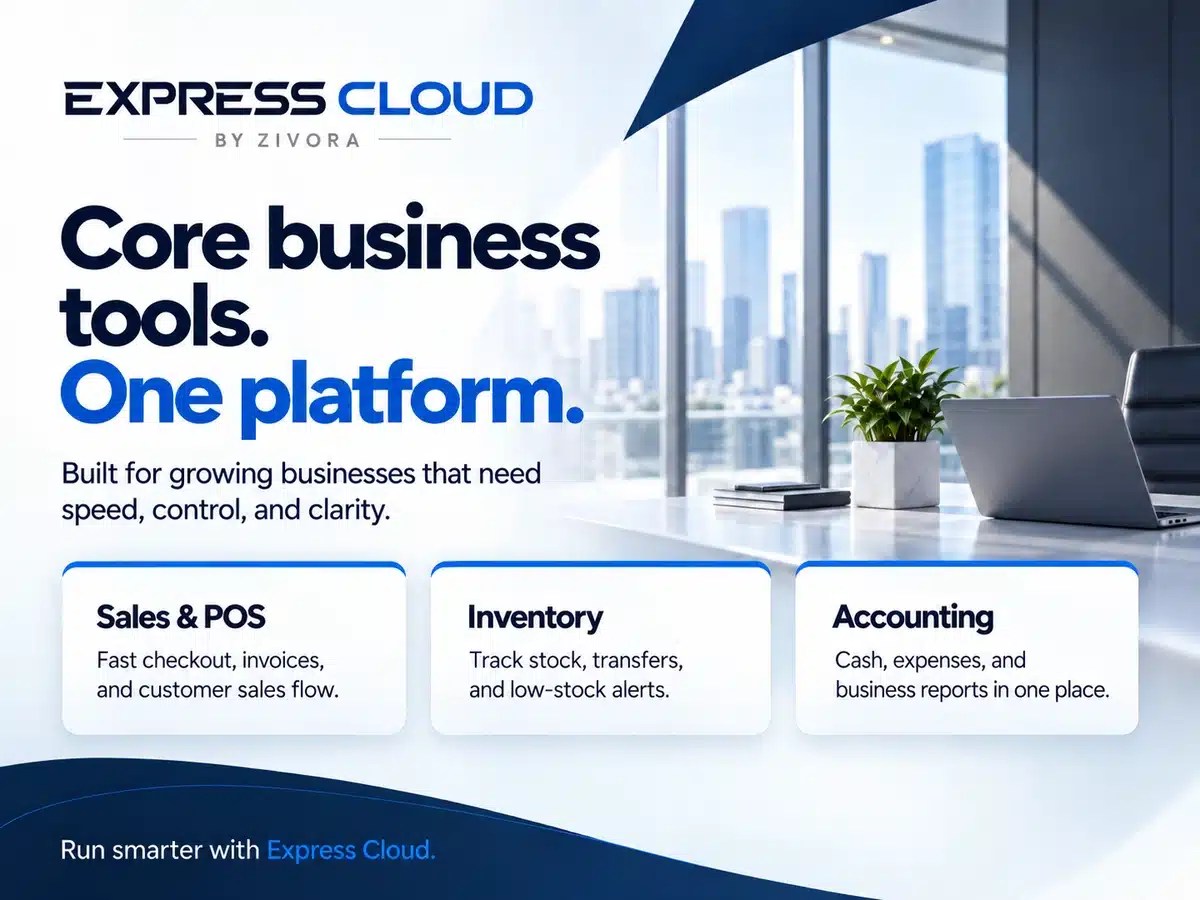
Promotional artwork supplied by Zivora Labs, not software-interface screenshots. Product status reference: 28 September 2026.
How do you launch without disrupting the store?
Begin with one controlled workflow, prove the records match, then expand.
Start by documenting the current store, installed extensions, custom code, external systems and staff responsibilities. Establish a baseline: how many orders need manual correction, how long stock updates take, and where discrepancies appear.
Build and test on staging with an appropriate sandbox or non-production business-system instance. Include a paid order, delayed payment, cancellation, partial refund, returned item, product variation, duplicate event and interrupted connection. Add subscription renewals where relevant. These are test scenarios, not assumptions that a connector supports them.
Pilot a limited scope—such as selected products or one location—and identify who reviews failures. Expand only after reconciliation shows that quantities, totals and statuses remain consistent.
Keep the rollback plan specific. Stopping a connector does not undo transactions already created in another system. Record the cutover time, preserve record mappings and agree how to reconcile activity during an outage.
Measure the operational result: fewer manual corrections, acceptable synchronization delay, fewer unexplained stock differences and faster resolution of failed updates. Set your own targets before launch rather than adopting an unsupported promise of “perfect automation”.
Where does Rowerr fit in a WooCommerce operations project?
Rowerr provides WooCommerce development for custom checkout flows, pricing logic, subscription workflows, plugin customization and API or webhook integrations. Its integration approach starts with the available interfaces, data ownership and business requirements rather than assuming every external platform can be connected in the same way. [13]
For an ERP-related project, the useful starting point is a review of what should remain in WooCommerce, what belongs in the external system, and which events need to connect them. Any implementation involving SalesPlus or Express Cloud would require technical confirmation with Zivora; this article is not a claim of an existing certified integration.
Need help connecting your store to the systems behind it?
Share your store URL, current business software and the manual workflow you want to remove. Rowerr can assess the WooCommerce-side requirements and scope a suitable implementation.
Frequently asked questions
01Can WooCommerce connect to an ERP?
Yes, where a suitable connector or compatible interfaces are available. WooCommerce provides a REST API and webhooks, but the ERP’s capabilities and the required workflows determine what can actually be connected. [2] [7]
02Do all WooCommerce stores need an ERP?
No. Start with the specific operational problem. A targeted extension, improved configuration or a small integration may be sufficient. Consider a broader platform when coordination across stock, purchasing, sales, finance and locations becomes the core issue.
03Will an ERP automatically fix incorrect stock?
No. The integration must correctly handle product mapping, reservations, sales, returns and update timing. An ERP receiving inconsistent data can reproduce the same inconsistencies. Define the stock policy and test the complete order lifecycle.
04Can subscription orders be included?
Potentially, but check the connector explicitly. WooCommerce Subscriptions creates renewal orders, and the integration must handle those orders as well as the initial purchase. Failed payments, renewals and fulfilment rules need testing. [6]
05Is a private ERP deployment automatically safer than SaaS?
No deployment model removes the need for secure configuration and operating procedures. Ask who manages access, patches, monitoring, backups and restoration. With a private deployment, those responsibilities must be agreed explicitly.
06What determines the cost of WooCommerce ERP integration?
Scope it around the systems involved, API access, number of data flows, migration requirements, custom pricing or subscription logic, testing and ongoing support. Request a proposal that separates implementation costs from software, hosting and maintenance. There is no meaningful universal price without that scope.
The takeaway: Keep the WooCommerce experience working for customers. Connect the operational systems around it only where a defined business need justifies the additional complexity.
Sources and product notes
These references support the technical guidance and product descriptions in this article. Open a source to review its documentation or vendor information.
- WooCommerce: Product and inventory settings
Explains built-in stock settings and inventory notifications before considering a wider ERP project.
- WooCommerce: REST API
Documents the store-data interface used when assessing what an external system can read or update.
- WooCommerce: Analytics and sales reports
Covers the reporting already available in WooCommerce, helping identify genuine reporting gaps.
- WooCommerce: Order statuses
Clarifies the differences between awaiting payment, processing, completion and other order states.
- WooCommerce: Refunding orders
Explains refunds and optional restocking, which need separate rules in an integration.
- WooCommerce: Subscription renewal process
Describes renewal orders and payment handling for stores with recurring subscriptions.
- WooCommerce: Webhooks
Explains event notifications and delivery behavior used to connect store changes to other systems.
- WooCommerce: Scheduled actions
Shows how to inspect background tasks and failed actions during troubleshooting.
- WooCommerce: HPOS extension recipe book
Provides developer guidance for order-storage compatibility and supported WooCommerce interfaces.
- Zivora Labs: SalesPlus
Provides Zivora’s own description of the SalesPlus platform and product direction.
- Zivora Labs: Express Cloud
Describes Zivora’s private-deployment offering and its stated operational scope.
- Zivora Labs: AB Artworld project
Provides vendor-reported deployment context, not independent proof of a WooCommerce connector.
- Rowerr: WooCommerce development services
Explains Rowerr’s WooCommerce development and integration services relevant to this guide.
Product availability and pre-launch distinctions also follow the Zivora briefing supplied to Rowerr. Vendor descriptions are attributed; the numerical inventory scenario is illustrative. No live product or integration testing is claimed.